Introducing Context-Driven Documentation in EkaScribe
Today, we have rolled out a major upgrade to EkaScribe that fundamentally enhances how you manage context, create notes, and structure outputs during consultations.
Over the past few weeks, we’ve focused on making documentation more flexible and closer to how doctors actually think and work during a consultation, not just a single output, but multiple goals, richer context, and full control.
Here’s what’s new 👇
Context Layer (Working Layer) 🧠
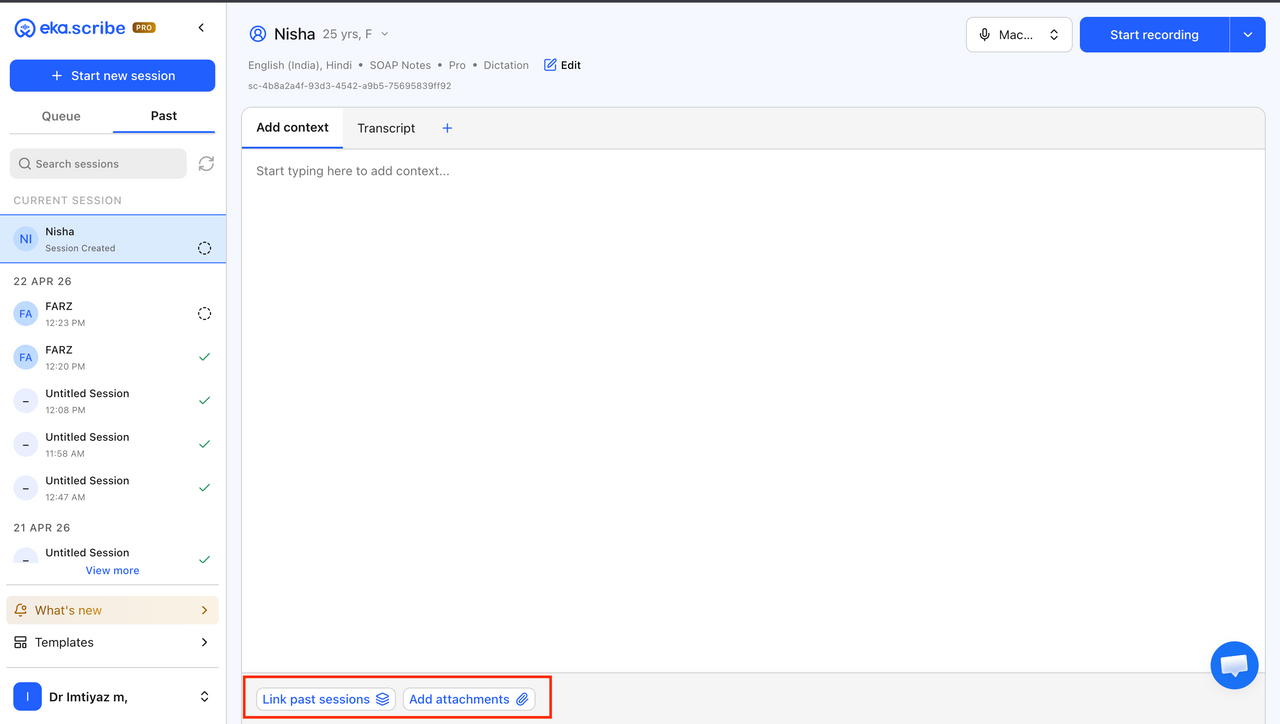
We’ve introduced a powerful Context Layer to help you bring together all relevant patient information in one place before creating outputs.
Instead of relying only on live transcription, you can now build a complete clinical picture by combining multiple sources.
What you can do:
- Import data from:
- Last visit (EMR)
- Last session (EkaScribe)
- Uploaded Rx PDFs or clinical documents
- Uploaded audio files
- Manual input via editor
- View and organize all context in a single workspace
- Edit, refine, and modify content freely
- Combine multiple sources into one structured context
This gives you much better control over the information that goes into your final notes.
Smarter Use of Context in Notes 📌
Context is now deeply integrated into how Notes and templates work.
- Context is automatically available while creating Notes (enabled by default)
- Relevant details from Context are intelligently used in outputs
- Key information flows into Past Medical History:
- Either as a summary
- Or as-is, depending on usage
This ensures your documentation is more complete without needing to repeat information manually.
Multi-Goal Consultations 🎯
Consultations are no longer limited to a single output.
You can now handle multiple goals within the same consultation, making EkaScribe much more flexible.
Examples of goals:
- Clinical documentation
- Prescription (Rx)
- Summary notes
- Follow-up instructions
What’s new:
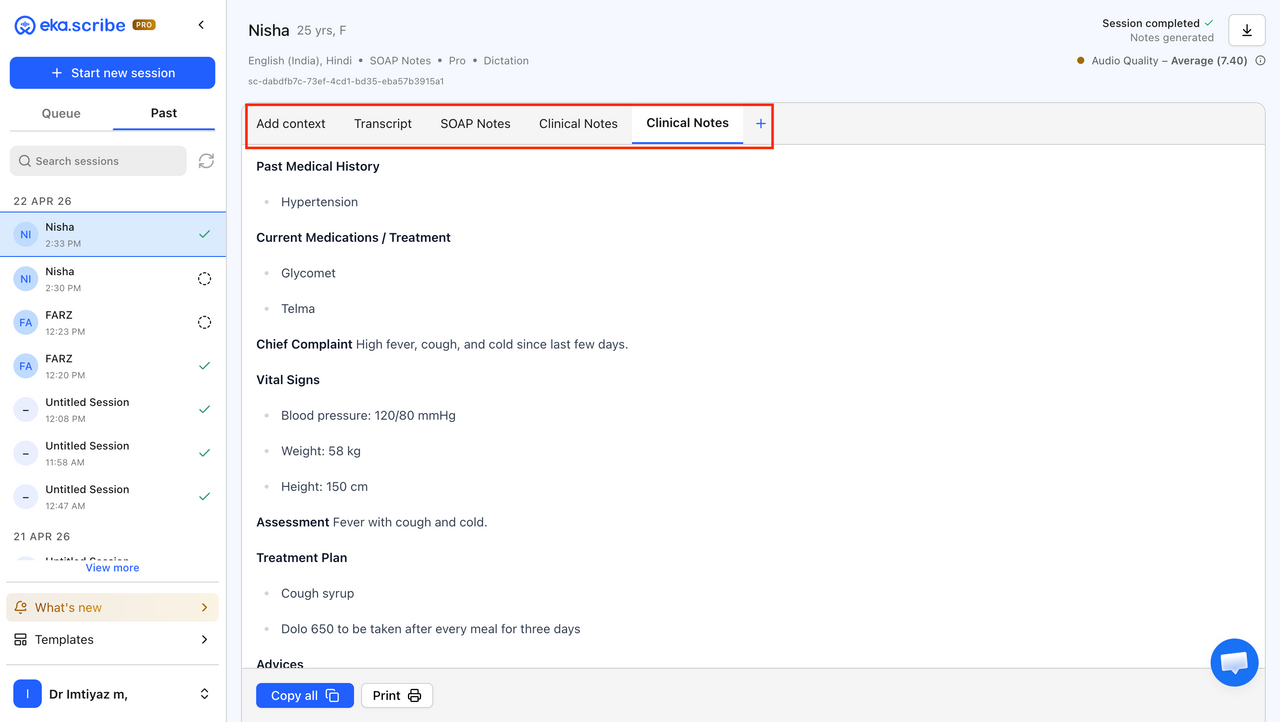
- Create multiple Notes from a single transcription
- Use Context across all Notes (enabled by default)
- Convert the same transcription into multiple templates
- Even regenerate the same template multiple times with variations
- Independently modify and save each Note
This allows you to adapt outputs based on different needs without restarting or duplicating effort.
Notes (Working + Output Layer) 📝
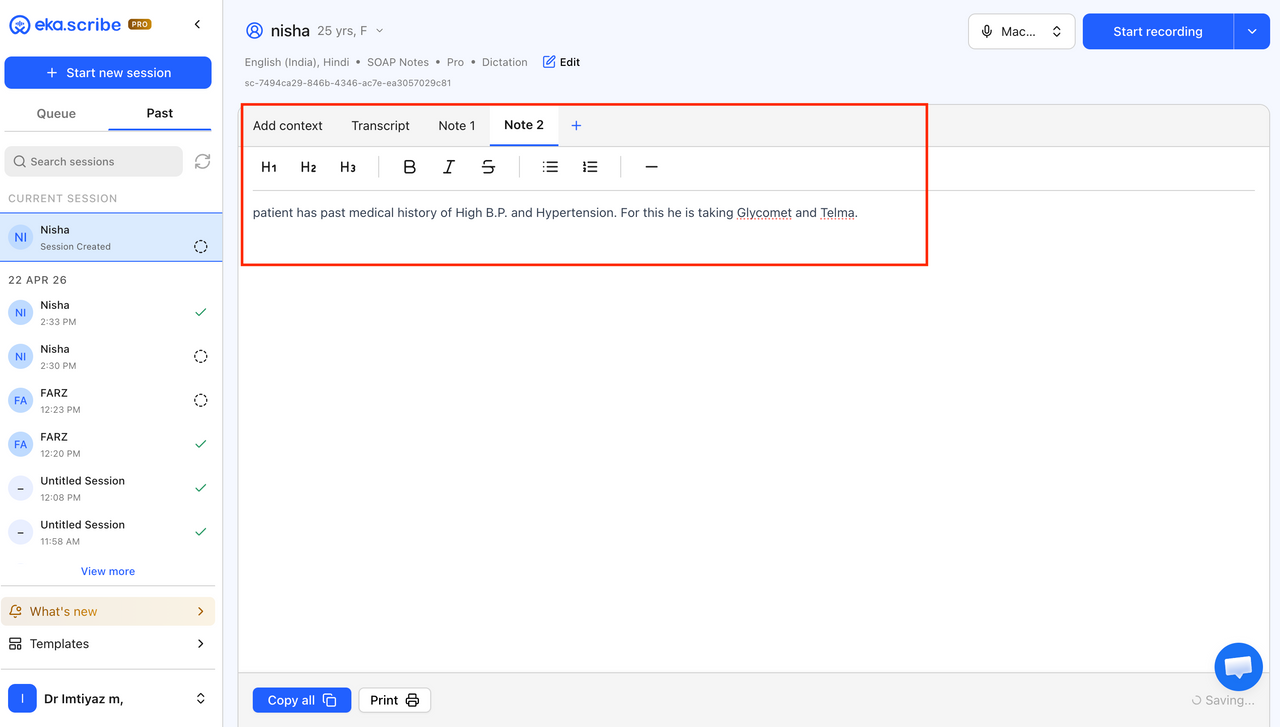
We’ve introduced a more flexible Notes layer, giving you full control beyond AI-generated outputs.
This acts as both a working space and final output layer.
You can now:
- Work without template conversion
- Work without relying on AI
- Create completely manual notes when needed
- Pull in Context selectively
Capabilities:
- Review and edit content freely
- Structure and customize notes as per your workflow
- Copy content directly from the Context tab (as-is)
- Print, copy, and save outputs easily
This ensures you’re never locked into AI-generated formats and can always take control when needed.
✨ What This Means for You
This update makes EkaScribe significantly more powerful and flexible for real-world consultations.
- Better clinical accuracy with richer context
- More flexibility with multiple outputs per consultation
- Greater control over how notes are created and structured
- Reduced repetition and faster documentation
EkaScribe now adapts to your workflow instead of forcing you into one.
We’ll continue refining this experience based on your feedback to make documentation even more seamless.