EkaScribe Extension Revamp (1.1.0)
Today, we’re rolling out a complete revamp of the EkaScribe extension designed to make your consultation workflow faster, simpler, and more intuitive.
Over the past few weeks, we’ve rethought how doctors and in general clinicians interact with EkaScribe during consultations. The result is a cleaner interface, fewer steps, and better visibility into everything that matters.
Here’s what’s new 👇
UI Refresh & Experience Revamp ✨
We’ve redesigned the EkaScribe extension to create a cleaner, faster, and more intuitive workflow for doctors. The new interface reduces steps, improves visibility, and makes key actions more accessible during consultations.
Unified Main Screen Experience 🧭
We’ve simplified how you begin a session so you can start faster during consultations.
Now, preferences and recording are in one place - no extra steps or clicks. This makes it easier to begin instantly, with a cleaner layout that helps you focus on the patient while EkaScribe handles the documentation.
Integration Visibility 🔗
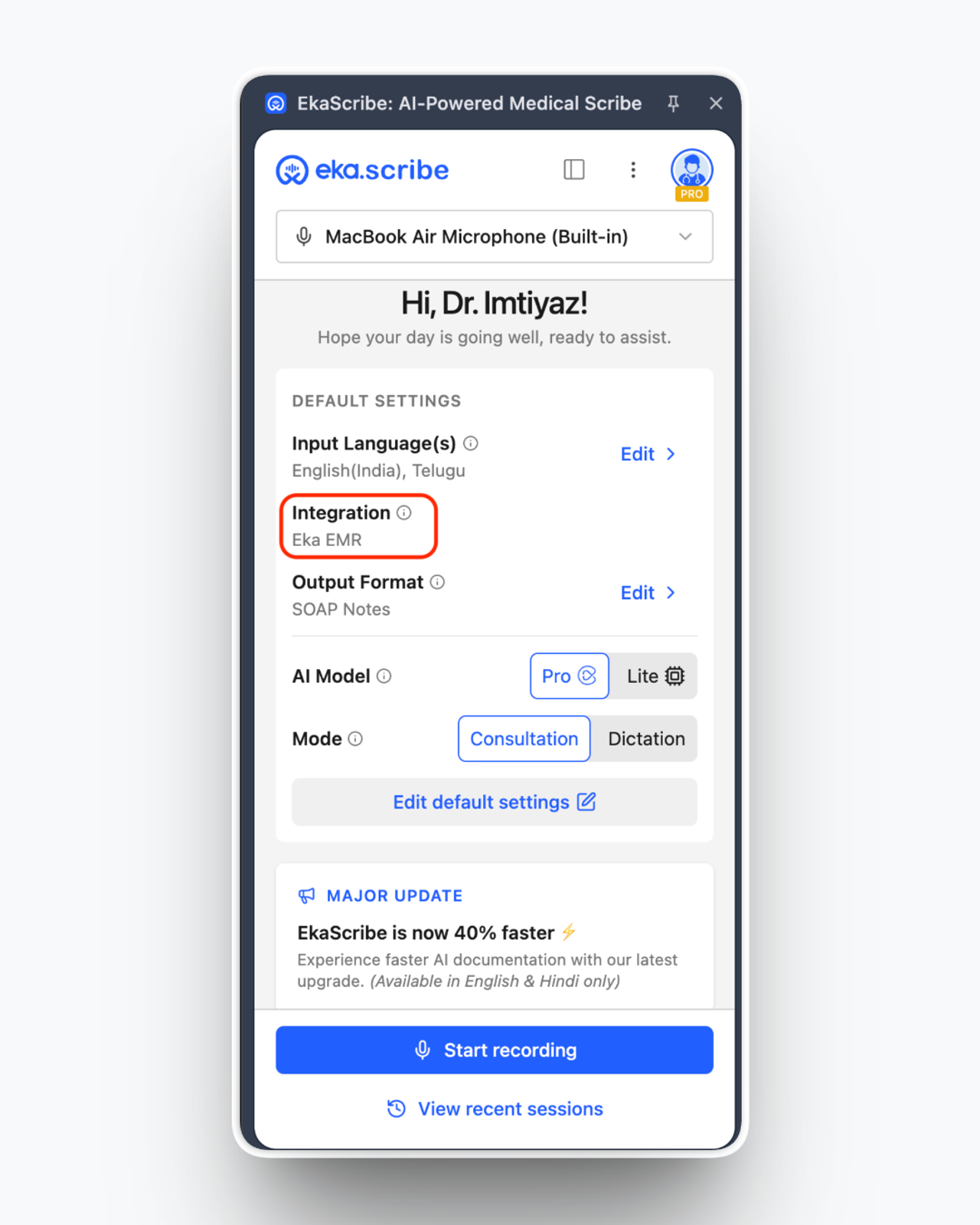
We’ve added a new Integration section so you always know which EMR is connected.
Now, instead of selecting integration template, you can instantly see your active integration (like Eka EMR) right on the main screen. This not only brings more clarity to your workflow but also helps us tailor your configurations and overall experience based on the EMR you’re using, making the journey more seamless during consultations. Additionally, option to select additional templates based on your notes requirement, specialisation remain same which you choose from Output Formats.
Microphone Selection on Home Screen 🎙️
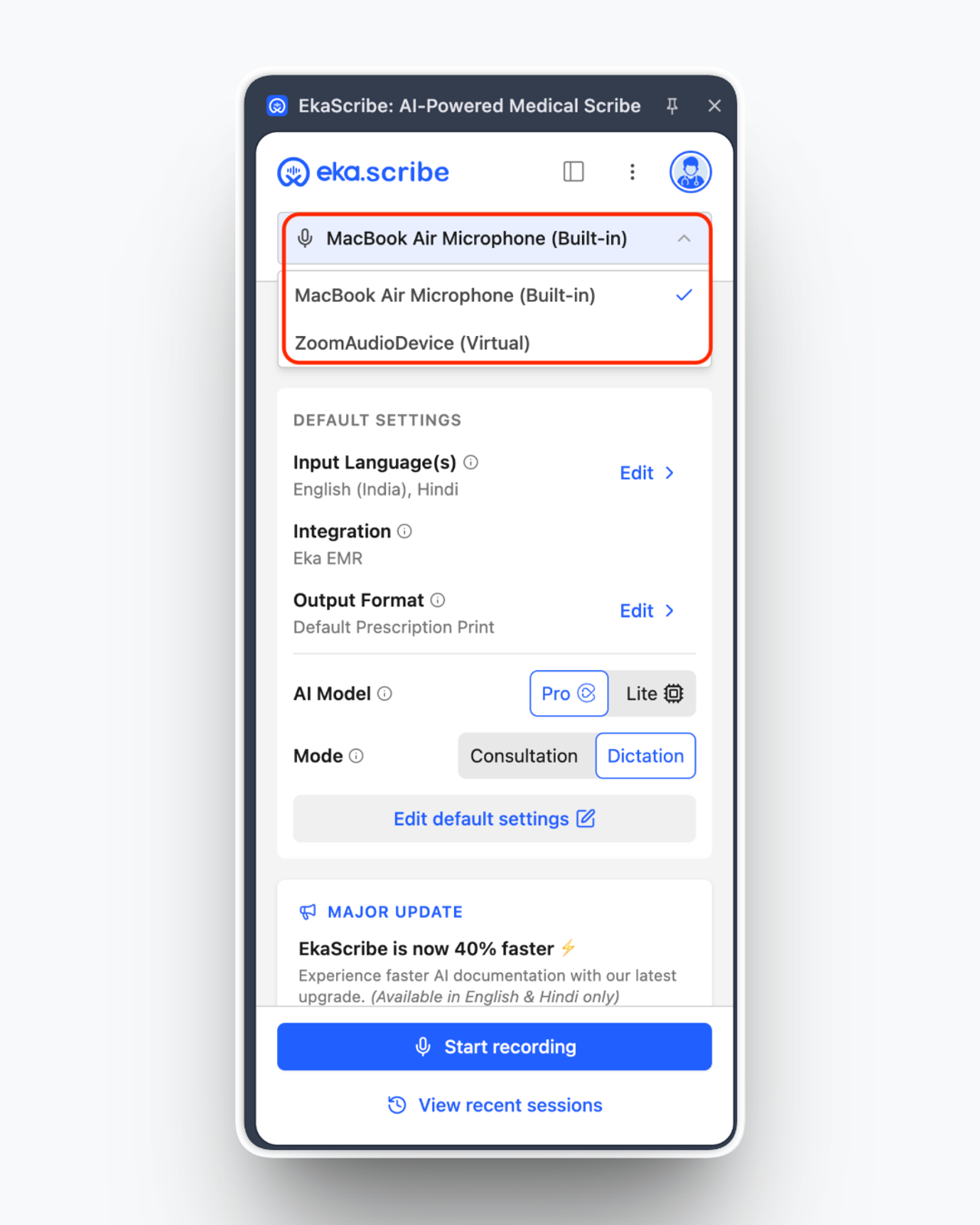
You can now see and select your microphone directly from the home screen, making recording more reliable and predictable.
With the active mic clearly visible, there’s no more confusion about which device is being used. This gives you better control during consultations and helps you quickly switch or troubleshoot if needed, without interrupting your workflow.
Updates & Personalised Insights 💫
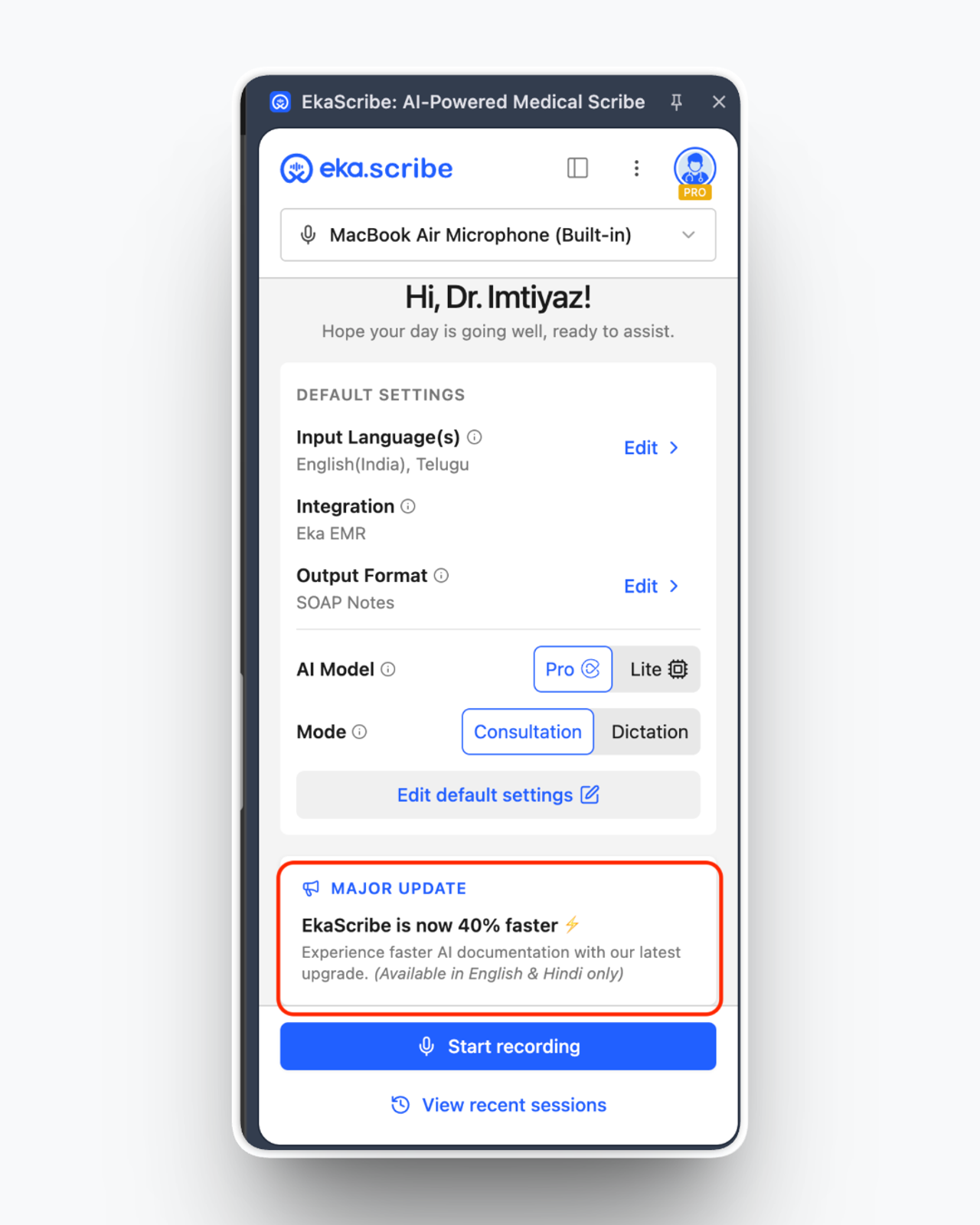
You’ll now notice a dedicated updates section on the home screen, so you’re always aware of what’s improving.
Instead of searching for updates, you can now discover new features and enhancements (like speed improvements) right within your workflow, keeping you informed without interrupting your consultations.
And soon you will see personalised insights tailor to you here.
Smarter Template & Output Experience 🧩
We’ve made templates easier and more powerful:
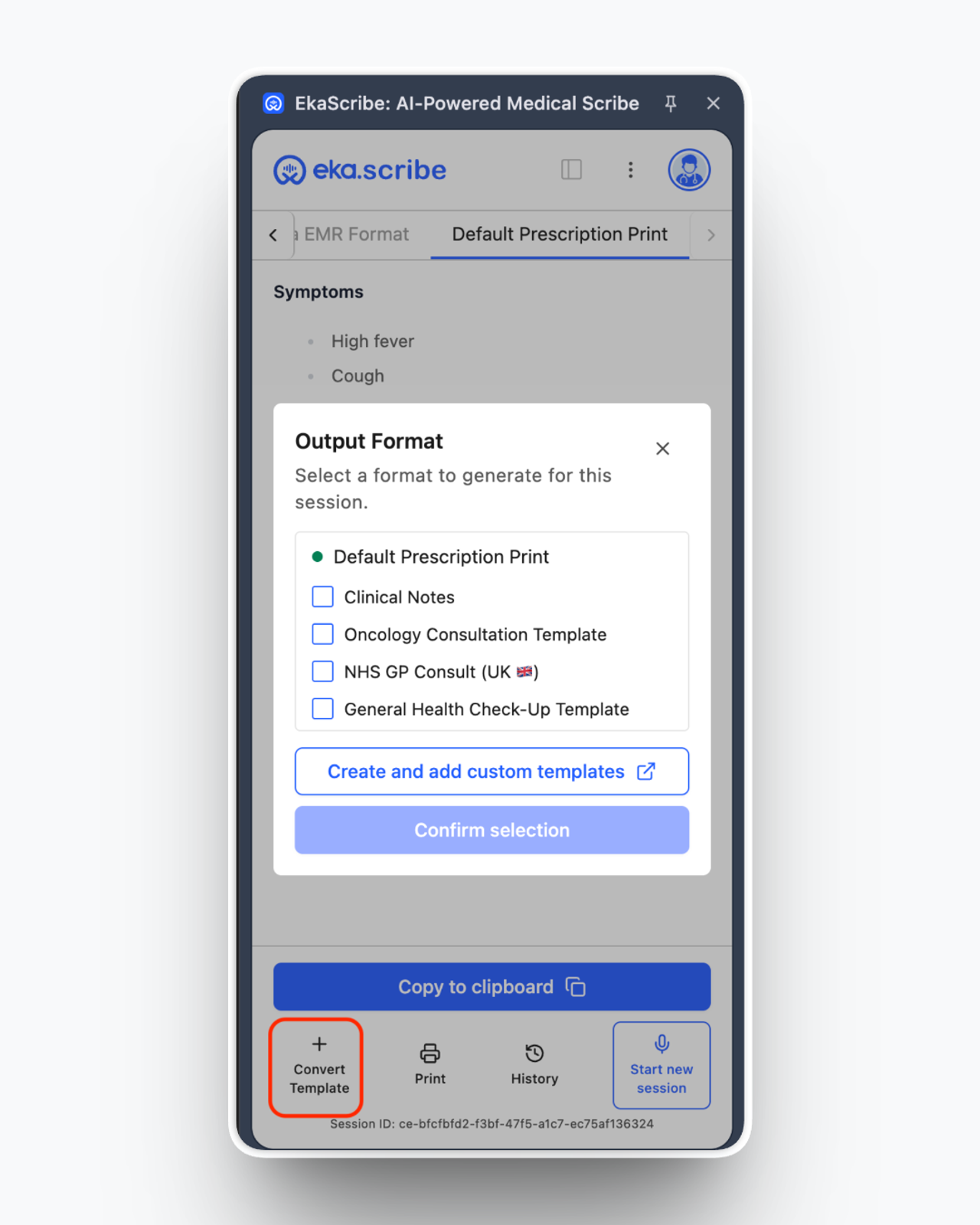
- The “Create Template” option is now part of Output Format selection, making it more contextual
- You can now convert templates instantly directly from the output screen.
This means less switching and faster documentation.
A Better Recording Experience 🎙️
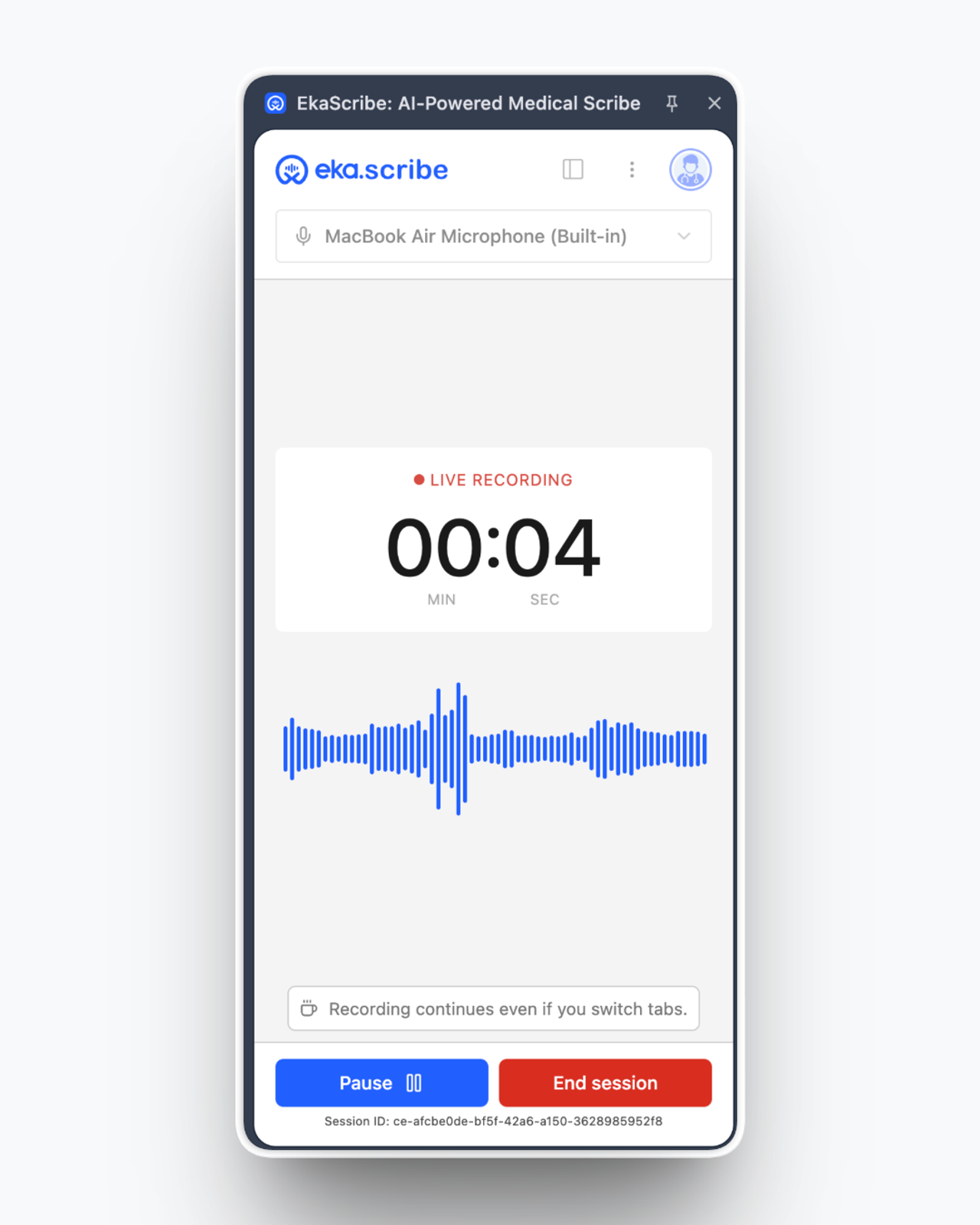
Recording now feels more interactive and reliable.
With live waveform visualisation, you can instantly see that your audio is being captured, giving you more confidence during consultations. The improved recording UI also makes controls like pause and end session clearer and easier to use, so you stay in control without breaking your flow.
📂 A Completely Redesigned Output Screen
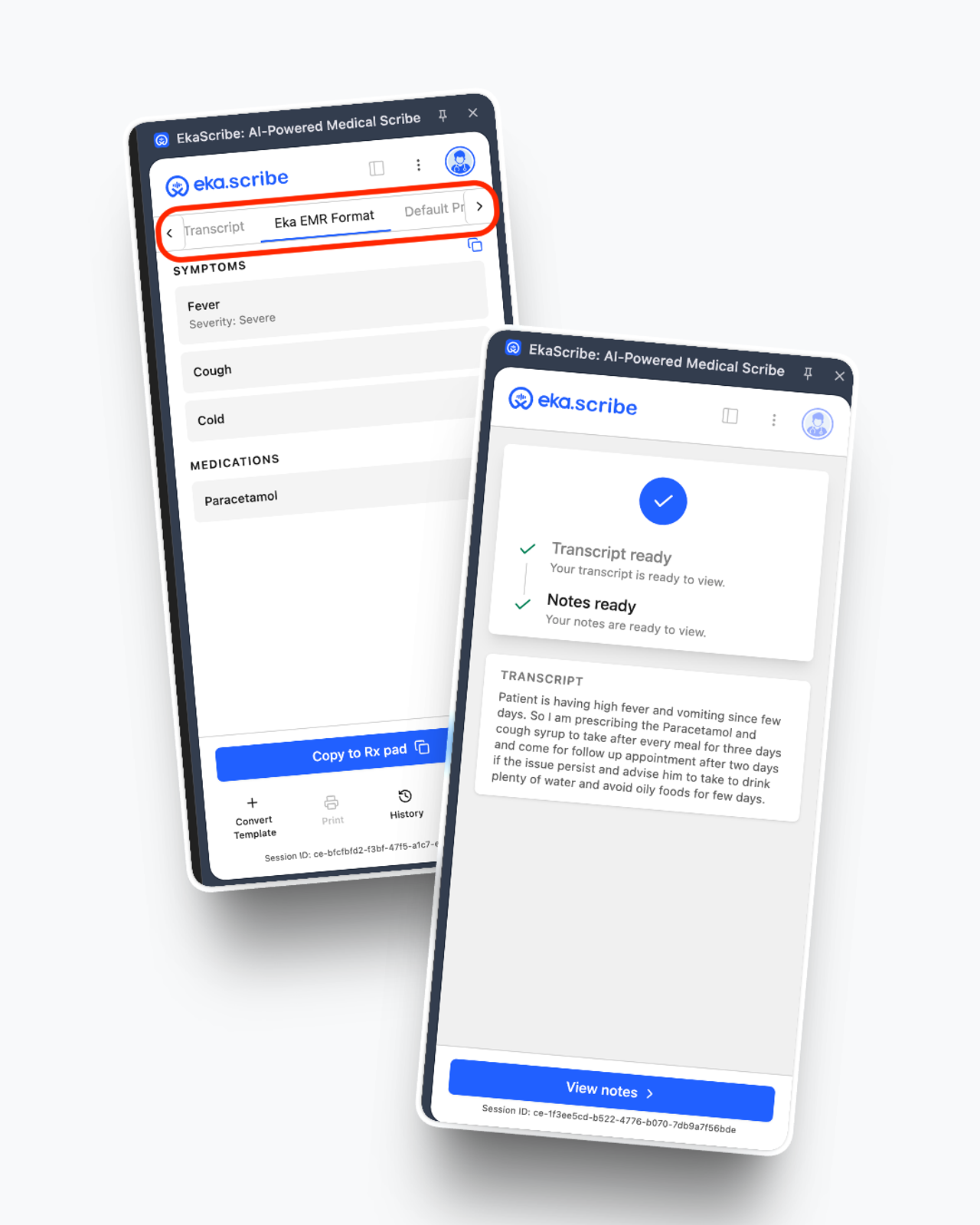
This is one of the biggest upgrades in this release.
- Transcription is now shown by default, no need to select it manually
- Output formats are now displayed side-by-side instead of a dropdown, making switching faster
- Quick actions like copy to EMR or clipboard are more accessible
Overall, reviewing and using your consultation output is now much smoother.
Navigation & Session Management 🔖
Improved Recent Sessions View 🕘
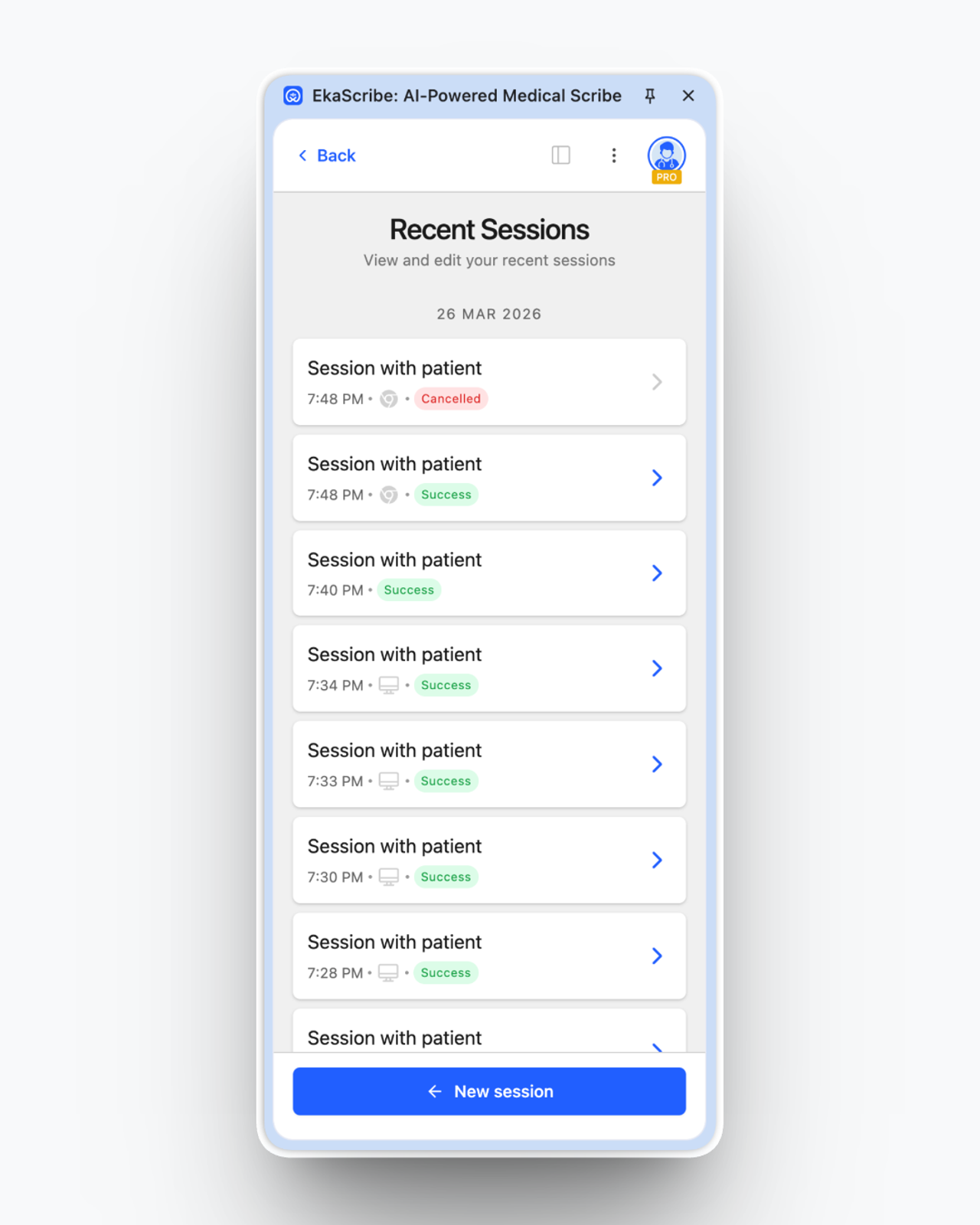
We’ve made it easier to revisit your past consultations.
With a cleaner and more structured session list, you can quickly scan through records, understand their status, platform at a glance, and access any session without confusion, saving time when you need to refer back.
Quicker Chat Support, Feedback, Help Center and more
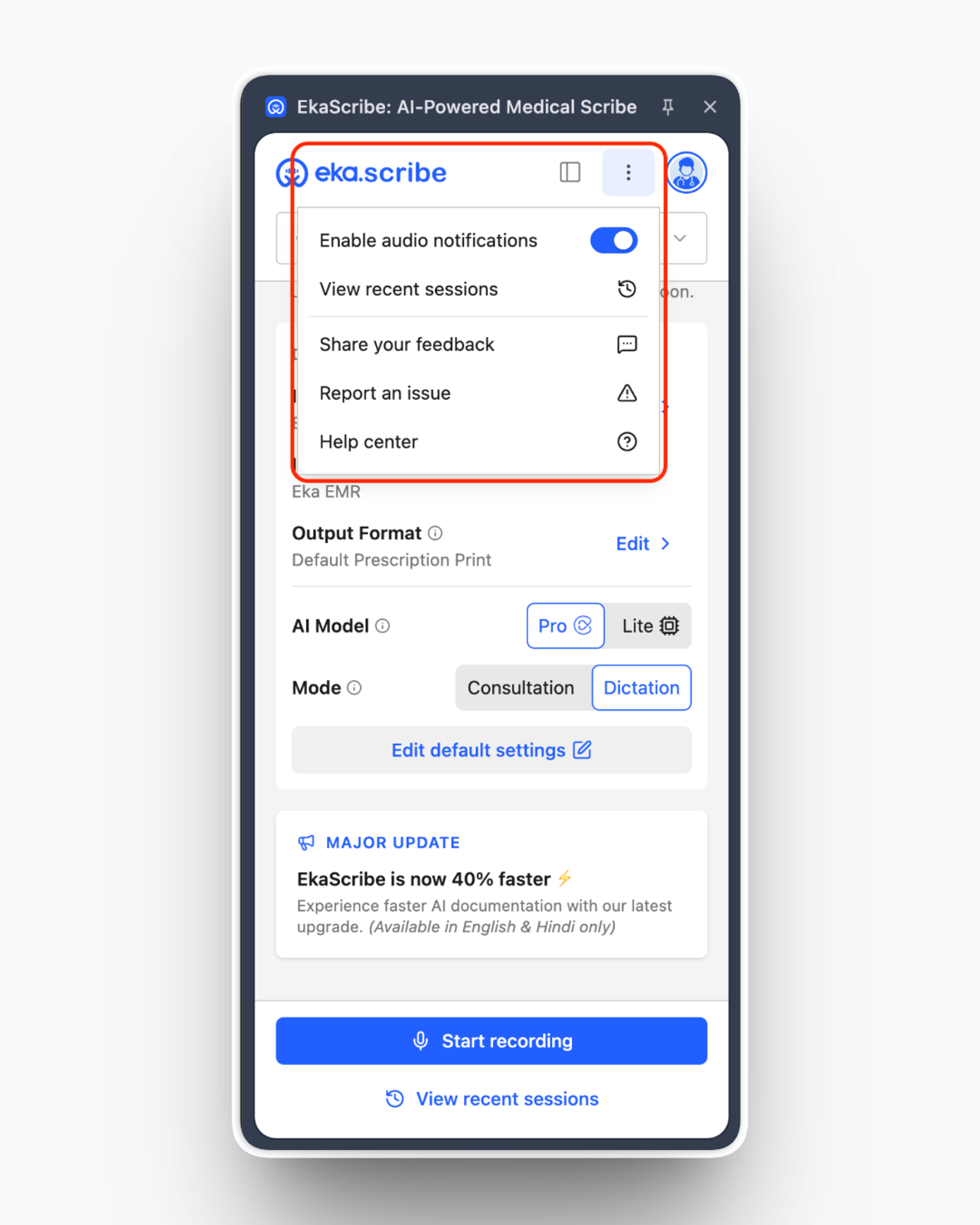
Quick Access Menu (3-dot menu)
We’ve added a quick access menu so help is always within reach.
From here, you can easily share feedback, report issues, or visit the help centre - without leaving your workflow or interrupting your consultation.
Model Improvements 🤖
We’ve improved how EkaScribe understands dosage instructions during consultations.
Now, if you mention tapering/adjusting dosage verbally, the system will correctly capture it and reflect it in the final prescription. Earlier, this was often missed, so this update ensures more accurate and complete documentation without extra effort from your side.
✨ What This Means for You
This revamp is all about making your day-to-day consultations smoother and more efficient.
By reducing unnecessary steps and improving visibility across the extension, you can move faster with better control and clarity. We’re continuing to build EkaScribe based on your feedback & making it a more reliable assistant in your daily practice with every update.
Bug Fixes (2)
- Resolved microphone permission issues observed on certain OEM devices.
- Fixed preferences issue affecting new users during initial setup.
Others Improvements (1)
- Addressed minor UI issues in the extension floating panel.